How To Delete Employees In QuickBooks Desktop
March 10, 2026
Deleting employees in QuickBooks Desktop can be complicated, particularly when doing bulk cleanups or correcting payroll setups. With SaasAnt Transactions Desktop, accountants and bookkeepers can securely search, back up, and delete employee records in batches.
This systematic approach ensures data control, audit safety, and efficient management of workforce records.
Video Tutorial for How to Delete Data in QuickBooks Desktop using SaasAnt Transactions Desktop:
Video Tutorial for How to Delete Employees in QuickBooks Desktop using SaasAnt Transactions Desktop:
Prerequisites
QuickBooks Desktop is set up, and the company file is accessible.
Admin permissions for the company file are required.
SaasAnt Transactions Desktop is installed.
The company file must be opened in QuickBooks before you can connect.
How to Delete Employees in QuickBooks Desktop: Step-by-Step Guide
Step 1: Open the SaasAnt Transactions Desktop
Download the latest SaasAnt Transactions Desktop version.
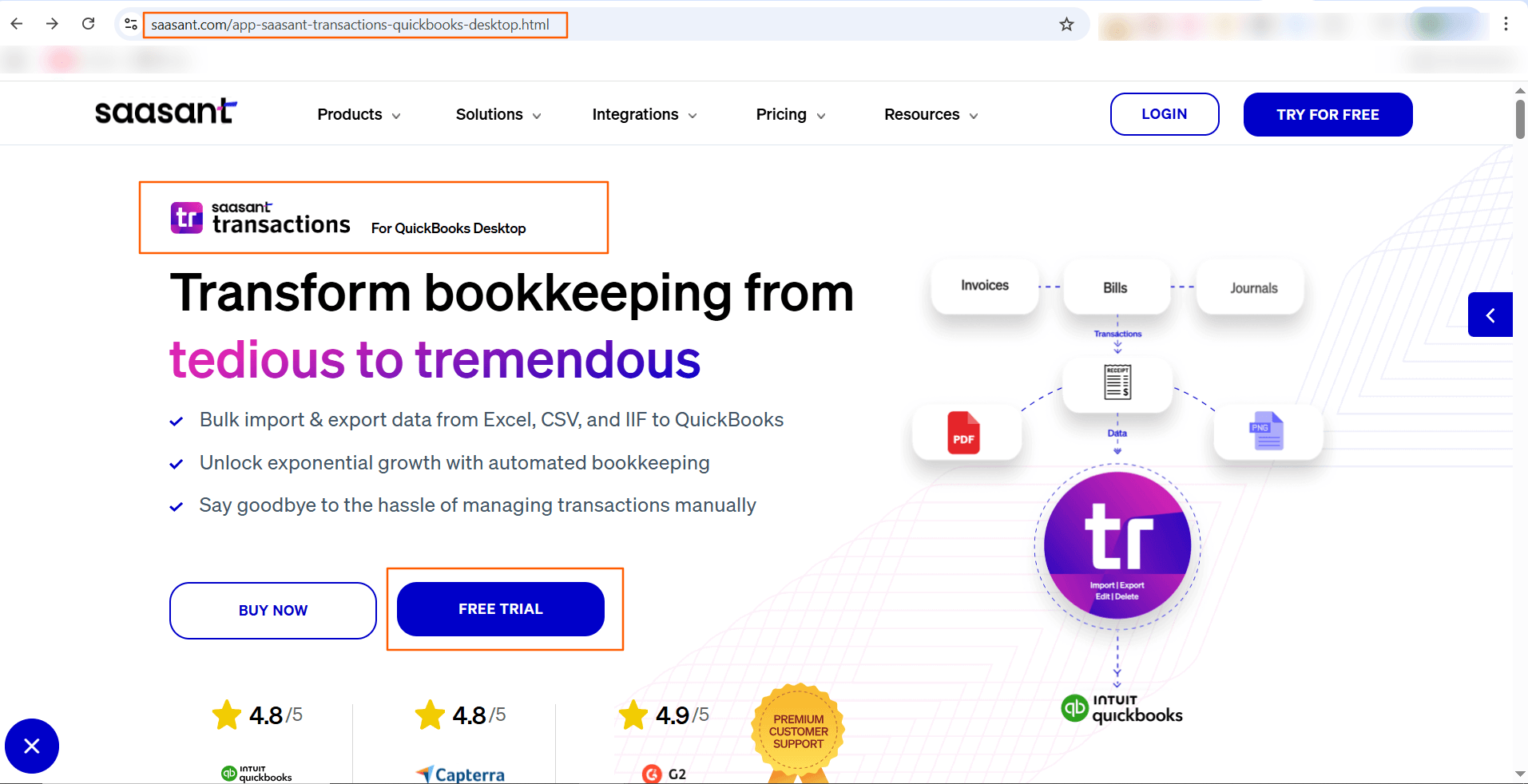
Launch the SaasAnt Transactions Desktop, and connect to your QuickBooks company file.
Step 2: Connect to QuickBooks Desktop
Go to the File menu
Click Connect to QuickBooks, and allow access permission in QuickBooks when prompted.
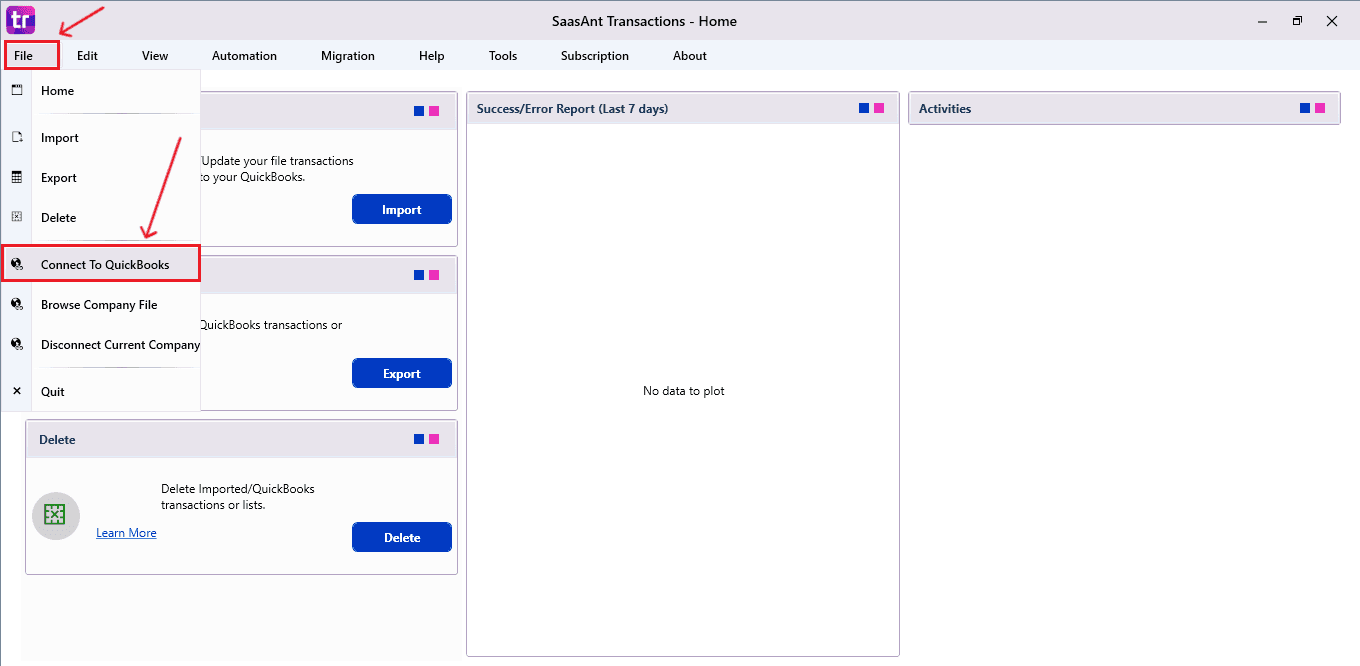
This secure link allows SaasAnt to read and adjust employees in the selected company file environment.
Step 3: Open Delete Module
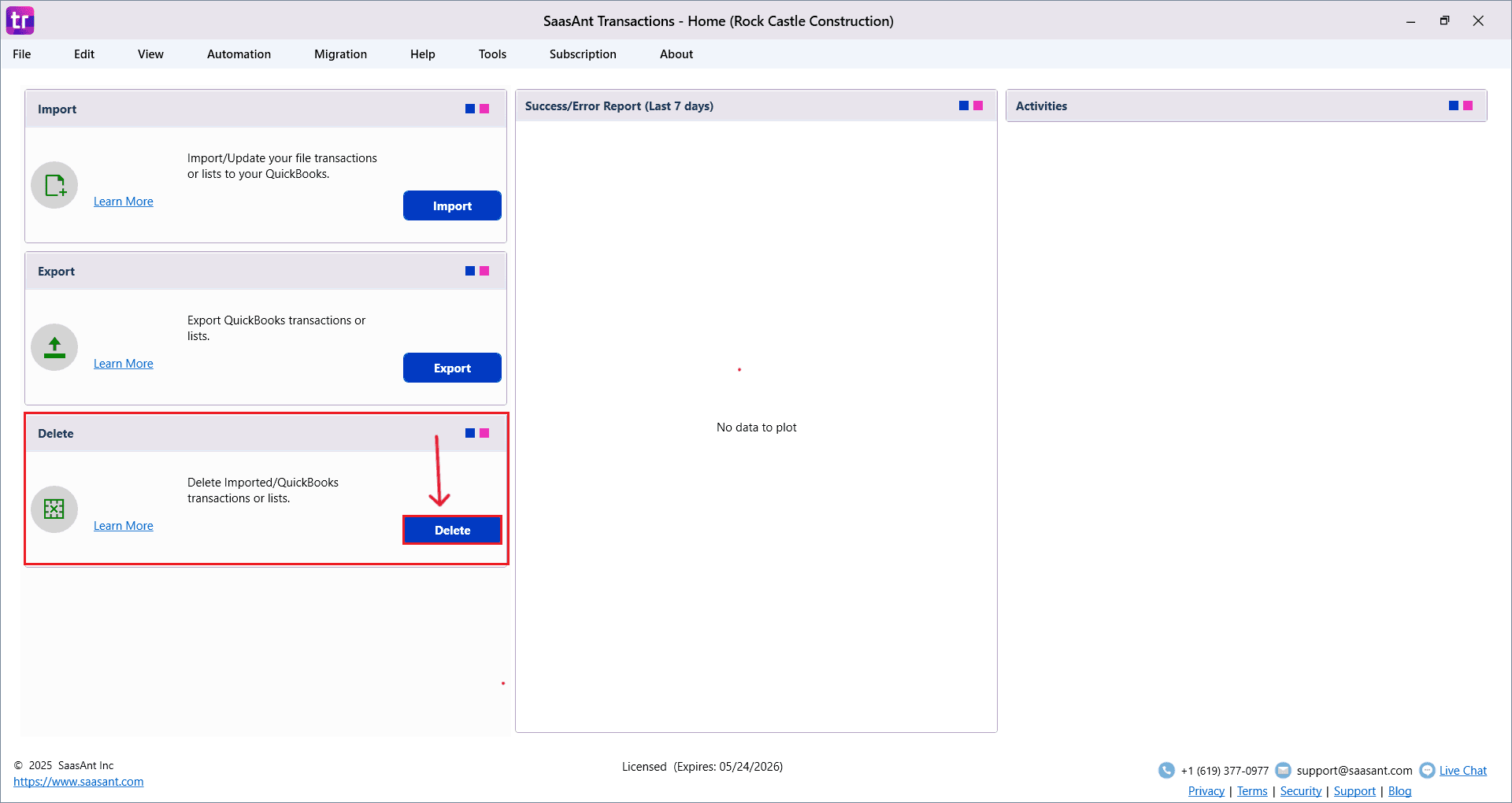
On the left panel dashboard, select Delete.
This section is meant for deleting transactions in bulk.
Step 4: Search Employees
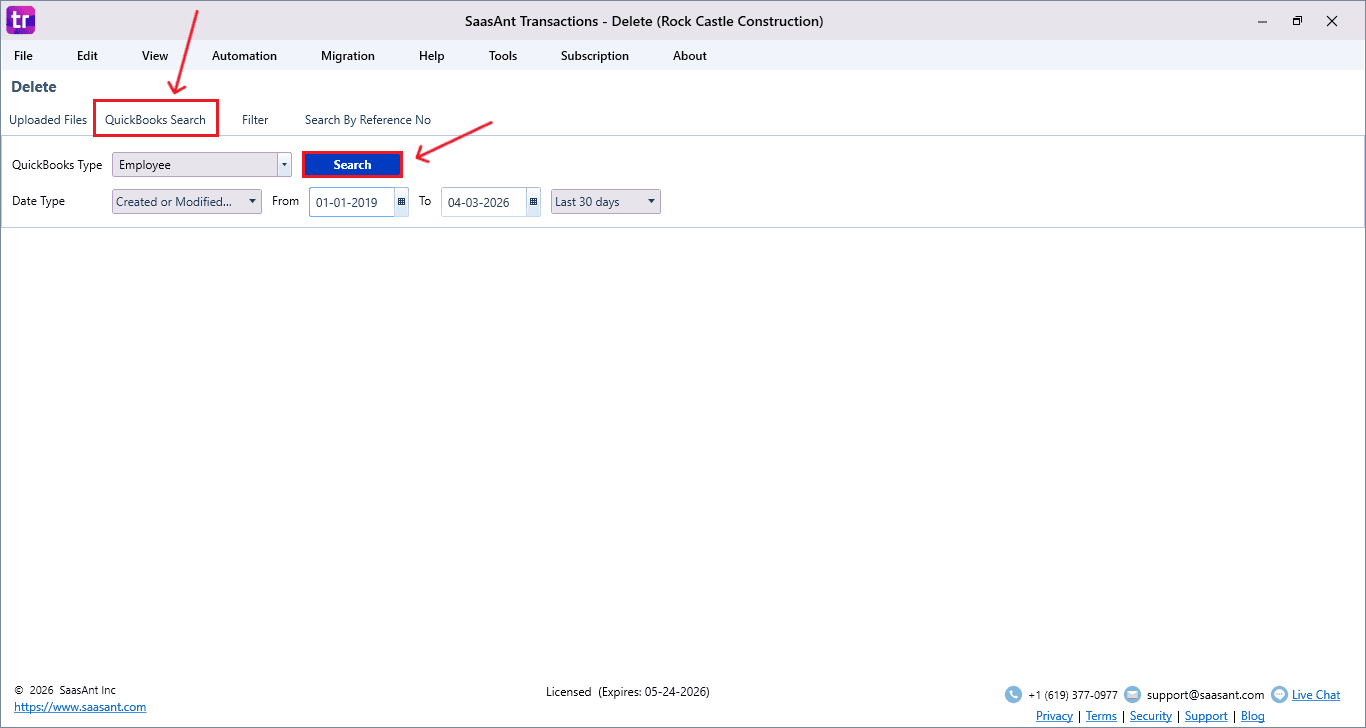
Choose QuickBooks Search
Set QuickBooks Type → Employees
Apply filters, including date range or transaction criteria, to refine results.
Click Search to view all employee records for review and deletion.
Step 5: Select the Employees to Delete
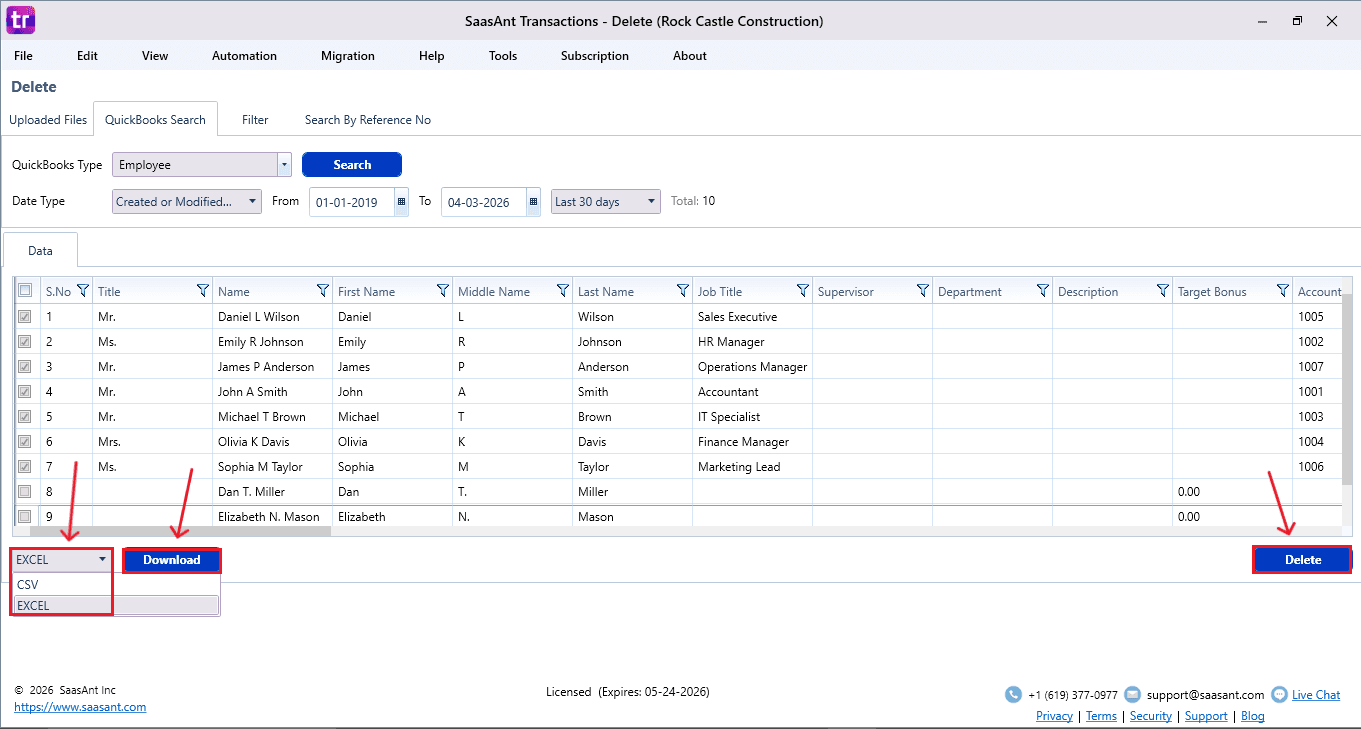
The matching employees will show up in the results list
Review and select the required employees with checkboxes
Click Download (at the bottom-left) to save a backup as an Excel (.xls) or CSV file.
Click Delete at the bottom right.
Step 6: Confirm Deletion
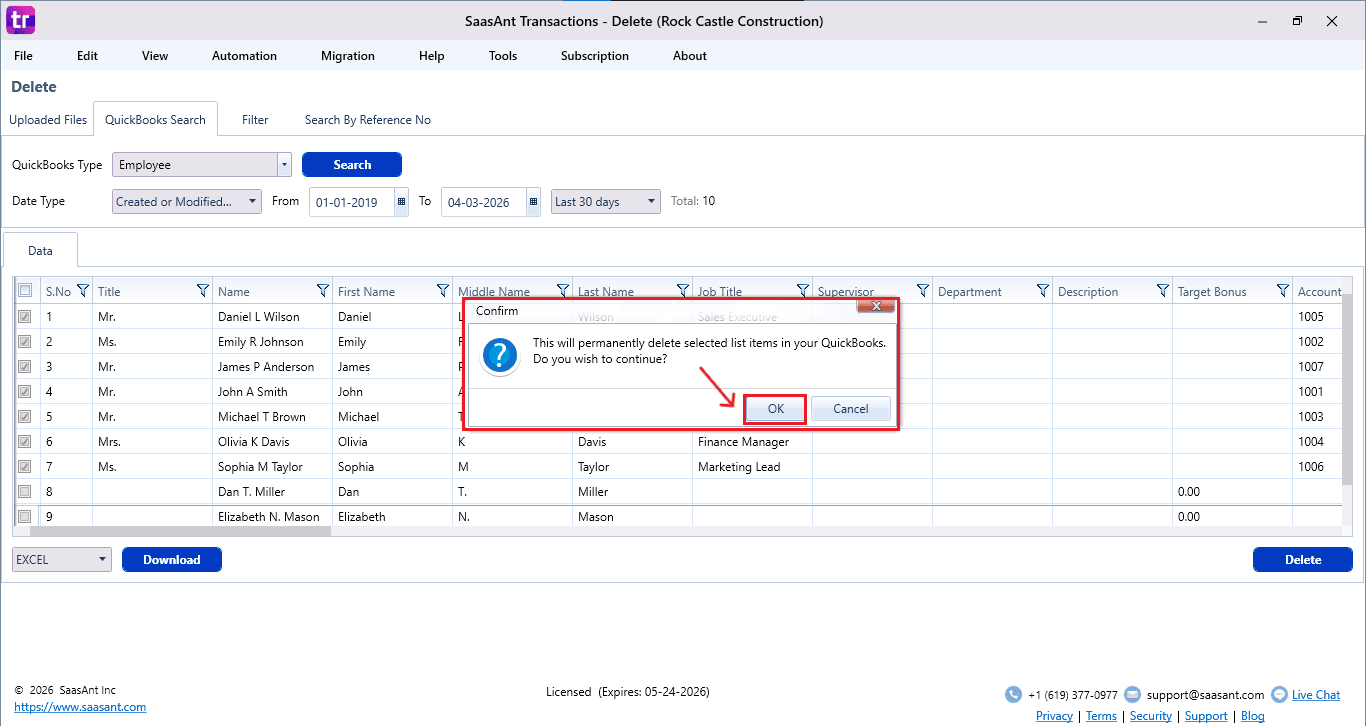
A confirmation pop-up appears; carefully review the count and details.
Click OK to proceed.
SaasAnt will permanently delete the selected employees from the QuickBooks Desktop company file.
Step 7: View Deleted Employees
Deleted Employees appear in the SaasAnt dashboard
You can download the deleted records using the Download option in Excel or CSV format.
To verify:
Open QuickBooks Desktop → Employees → Employee Center → Employees. Search for employees whose records you deleted.
FAQ
1) As an accountant, why would I delete employees in QuickBooks Desktop?
You can delete inactive, duplicate, or test employee records to keep payroll data clean and ensure accurate financial reporting.
2) How do I connect SaasAnt to QuickBooks Desktop?
Go to the File menu, choose Connect to QuickBooks, and authorize access permissions in the QuickBooks authorization window.
3) Does SaasAnt provide deletion transparency for audit purposes?
Yes, deletion logs that can be downloaded provide documented proof for internal audits and compliance checks.
4) Why do desktop accountants prefer SaasAnt for deletions?
It offers bulk functionality, secure integration, backup export, filtering options, and improved operational efficiency that exceeds the limits of native QuickBooks.