How to Obtain Pin Payments API Key
October 21, 2025
Here are the steps to get your Pin Payments API key
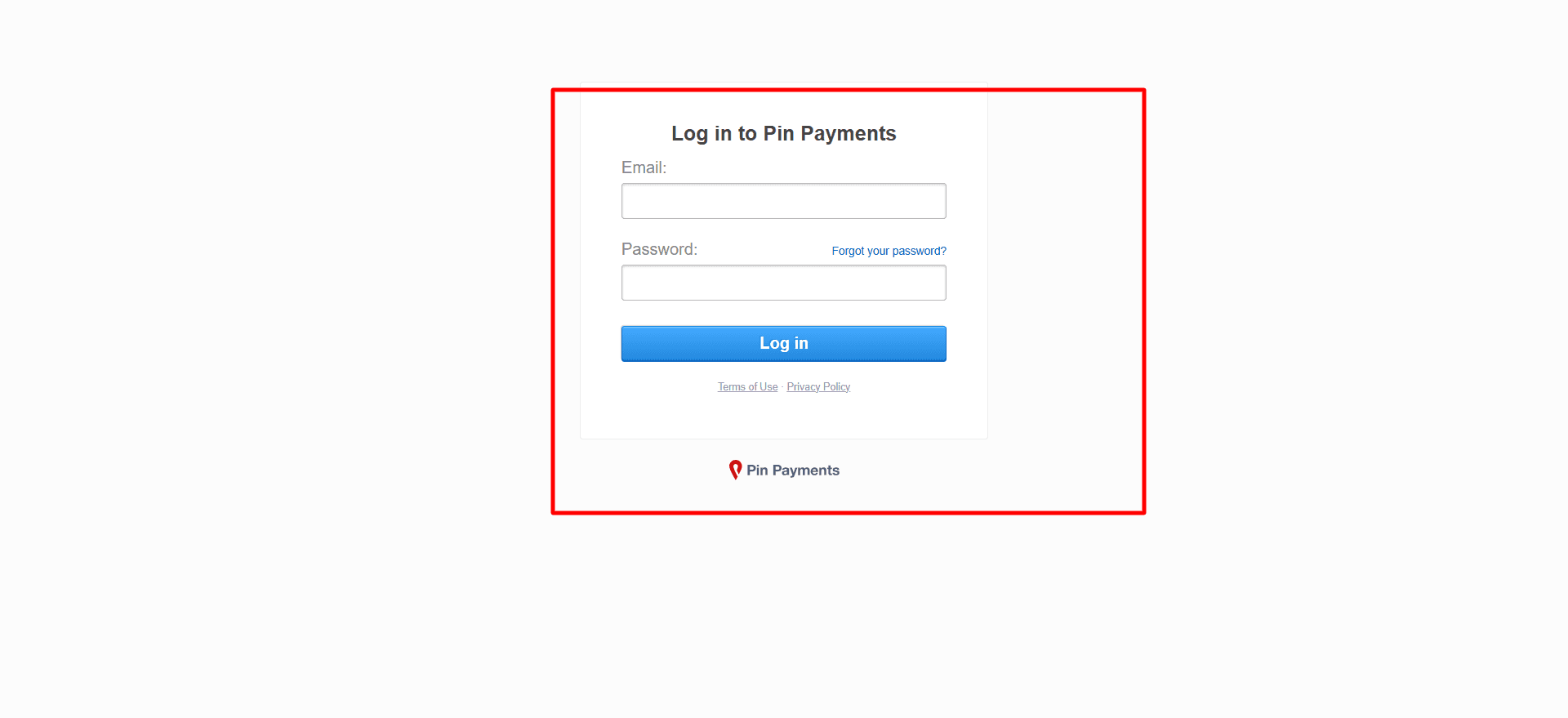
Step 1: Log in to Your Pin Payments Account
Go to the Pin Payments login page and enter your registered Email address and Password in the necessary fields.
Press the Log in button to access your Pin Payments dashboard.
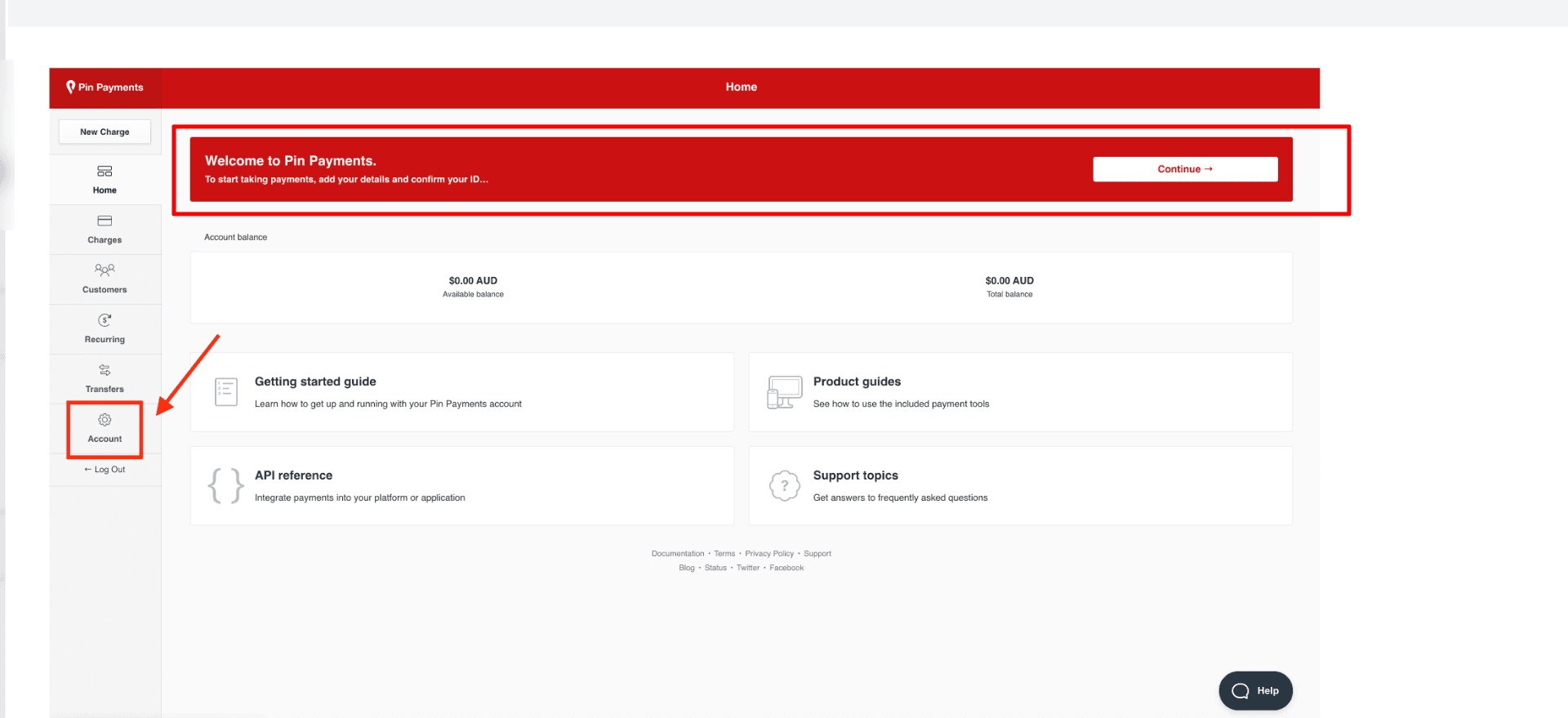
Step 2: Open the Account Section
In the left menu, find the Account option under the Transfers section and click it.
This section includes your profile settings, account tools, payment tools, and other options related to your account.
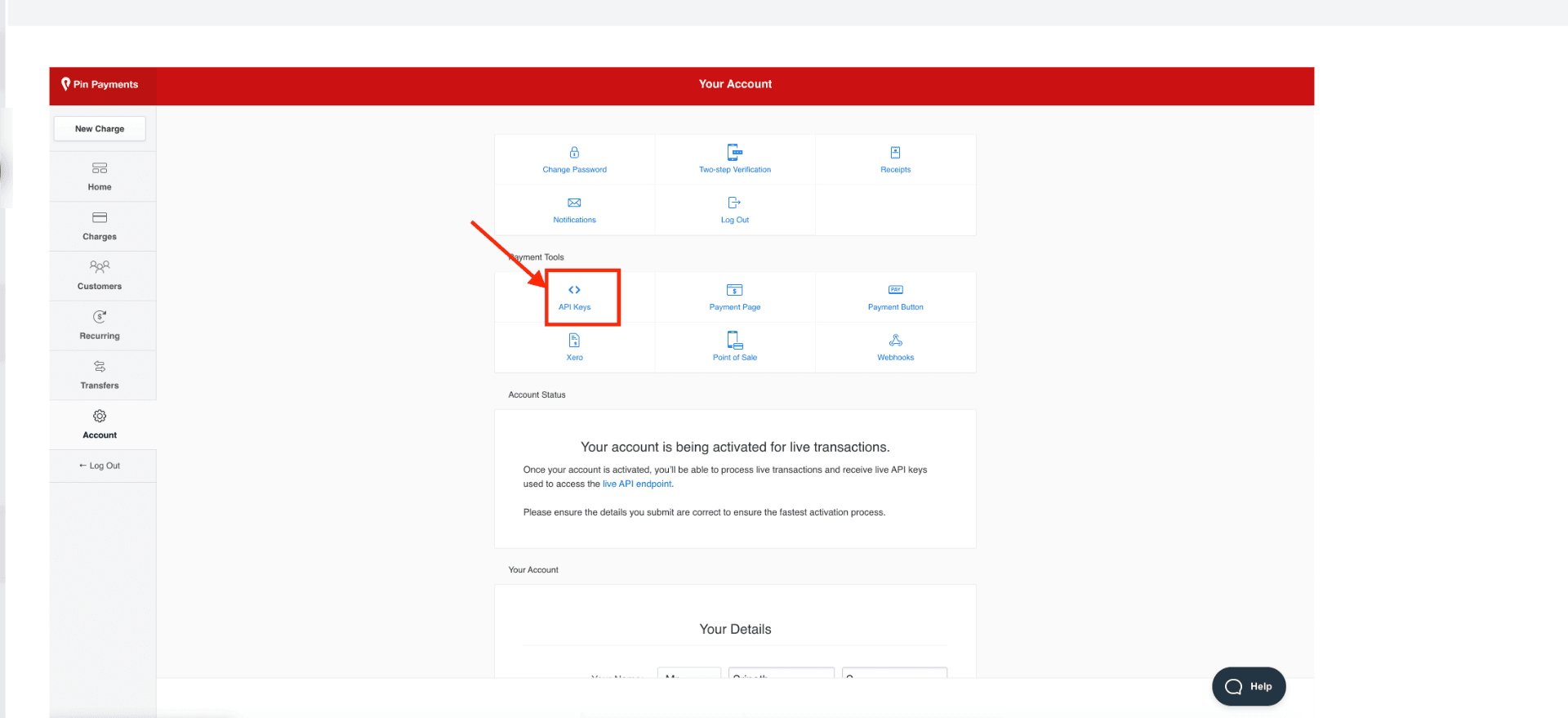
Step 3: Select API Keys
On the Your Account page, scroll to the Payment Tools section and select the API Keys option.
Click on API Keys to access the page showing your Pin Payments API credentials.
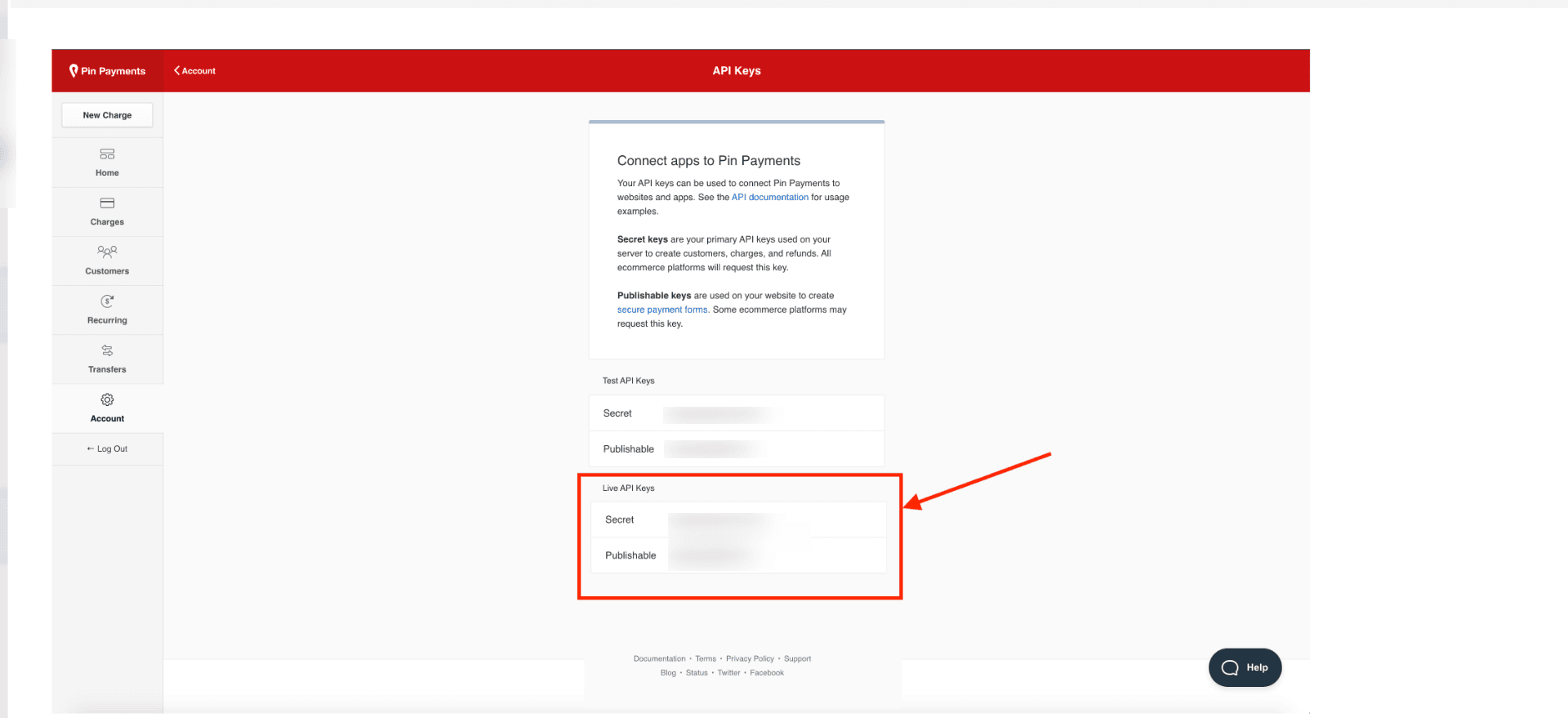
Step 4: Copy the Required API Key
On the API Keys page, check the sections for Test API Keys and Live API Keys.
Use Test API Keys when connecting to a test or sandbox environment.
Use Live API Keys for linking your active Pin Payments account to sync real transactions.
Make sure to copy the Secret key accurately, as this is the API key required to connect Pin Payments with PayTraQer.
Step 5: Enter the API Key in PayTraQer
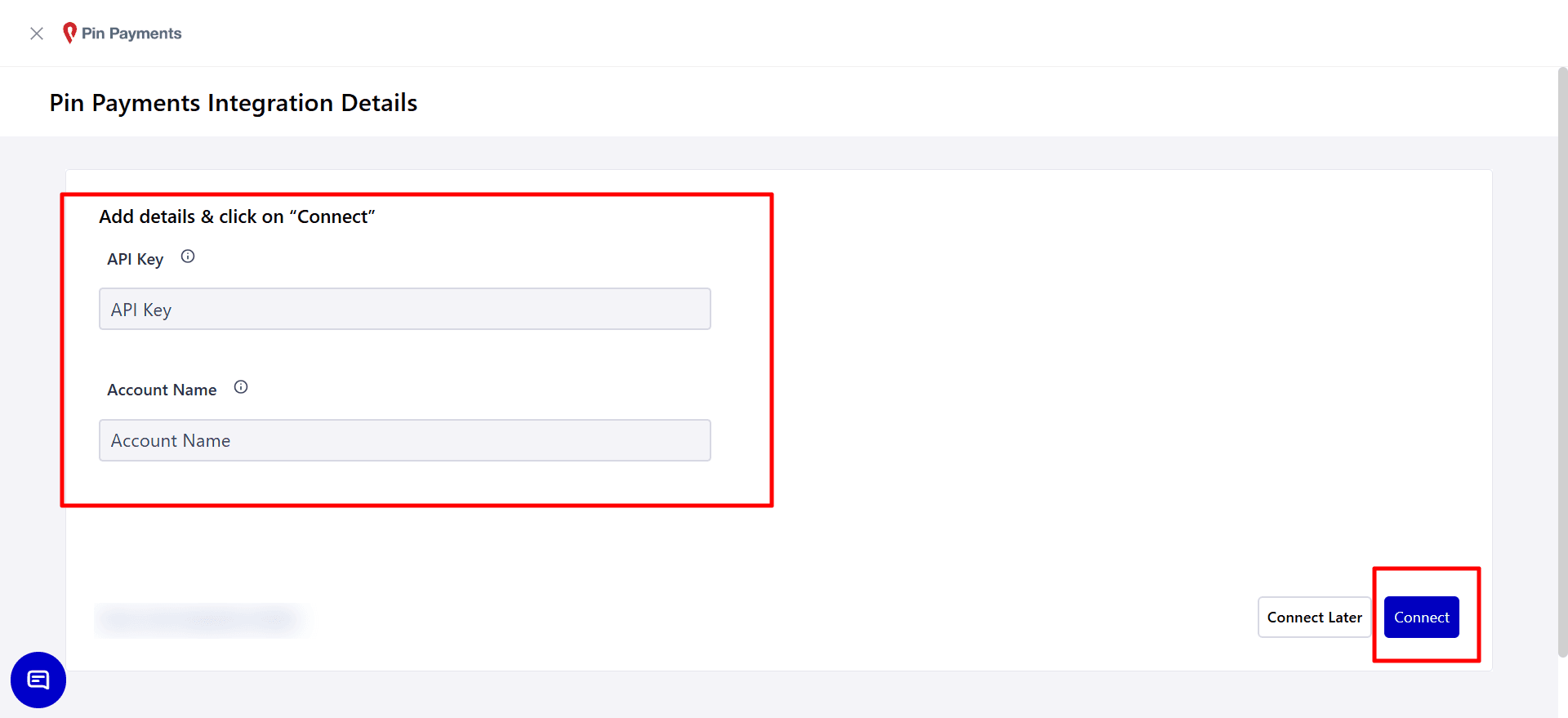
Go to the Pin Payments Integration Details page in PayTraQer.
Paste the Pin Payments API key you copied into the API Key field.
Type a clear Account Name so you can easily identify the connected Pin Payments account in PayTraQer.
After entering the information, click Connect to link your Pin Payments account with PayTraQer.
Video Tutorial for 𝗛𝗼𝘄 𝘁𝗼 𝗖𝗼𝗻𝗻𝗲𝗰𝘁 𝗮𝗻𝗱 𝗦𝘆𝗻𝗰 𝗣in 𝗣𝗮𝘆𝗺𝗲𝗻𝘁𝘀 𝘁𝗼 𝗤𝘂𝗶𝗰𝗸𝗕𝗼𝗼𝗸𝘀 𝗢𝗻𝗹𝗶𝗻𝗲 using PayTraQer: