Import Transactions in QuickBooks Online using Product SKU
January 1, 2025
Product SKU helps a customer to map the particular product name. It saves your time and effort mostly to map a particular transaction. There is no risk factor involved in this process.
In this article, you can see how to import transactions in QuickBooks Online using Product SKU.
Why to Import with SKU into QuickBooks Online?
It is easy to maintain the ID or SKU of a product in QuickBooks Importing files. If you are maintaining your transactions based on SKU details, “SaasAnt Transactions (Online)” can help you to import all your transactions into QuickBooks Online with Product SKU.
There is no need to make any changes to your files. You just need to tune your Import settings.
How to Enable Settings to Import using SKU for QuickBooks Online?
Select the Gear Icon
Click on Settings
Visit Advanced Tab
Enable the “Find Product by SKU” feature
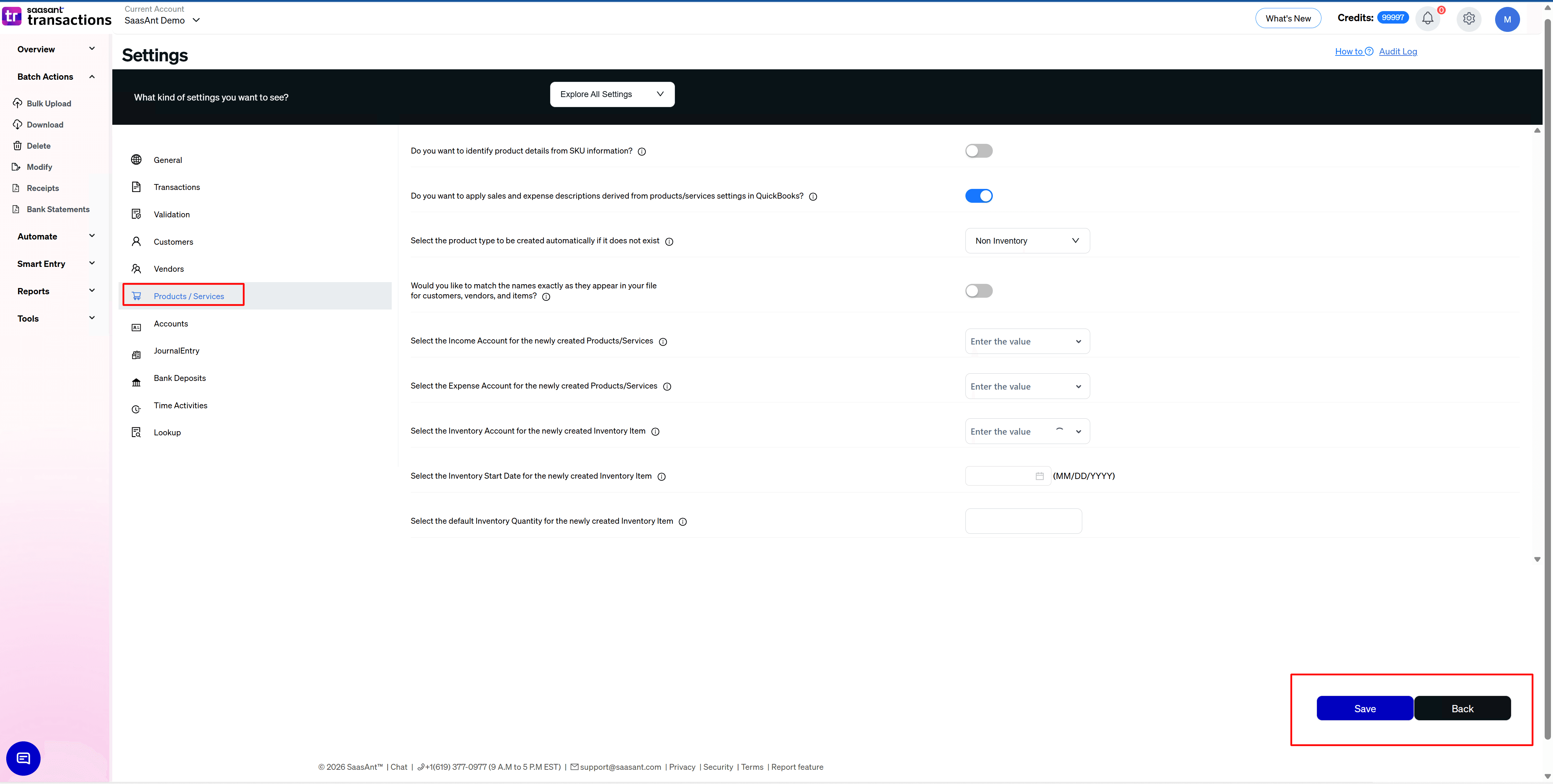
Is there any Risk Factor Associated in this Process?
If you have enabled the “Find Product by SKU” feature, then “SaasAnt Transactions (Online)” won't attempt to create Products automatically even when the “Auto Create List Entities” feature is enabled in Import Settings.
FAQ's
Most of us would have some questions while moving data to your QuickBooks Online. Some of them for your reference below:
I want to import Invoices with Invoice Numbers into QuickBooks from File. Is it supported?
Yes. It is supported. More Info...
Will SaasAnt Transactions (Online) support QuickBooks Multi-Line Transactions?
Yes. It will. More Info...
I made some mistakes in the mapping. Your application imported wrongly. So my QuickBooks file got corrupted. Is there any way to undo or revert?
Sometimes it happens due to the wrong mapping. It is possible to delete the entire transactions which went wrong. Our DELETE feature is the rescue. More Info...
I want to import Invoices using SKU's. Is it supported?
Yes. It is. You need to enable a couple of settings while importing. More Info...
I want to get an email for each Import. Is it possible?
Yes. It is. You need to enable a couple of settings while importing. More Info...
Are there any specific Import Settings?
Yes. We do have a couple of important settings for import. More Info...
Does SaasAnt Transactions (Online) support taxes?
Yes. It does. Tax model for U.S Companies.
I don't want to create products automatically for my invoices. I can't create products before each upload. Is it supported?
Yes. It is. You need to enable a couple of settings while importing. However. you can control this behavior. More Info...
My file has some specific date format. I don't want to change the file. Will your product support all date formats?
Yes. You can select the specific date format as per your requirement. More Info...
Do you have any sample templates?
Yes. We do have. Sample template for Imports.
What are the file types supported by SaasAnt Transactions (Online)?
SaasAnt Transactions (Online) supports txt, csv, xls, xlsx files.
How do I report the issues if I am stuck?
Feel free to drop an email to support@saasant.com