How to Subscribe or make payment for SaasAnt Transactions (Online)?
September 4, 2025
Subscribing for SaasAnt Transactions (Online)
To subscribe to the SaasAnt Transactions (Online) application, you can follow one of the payment methods as follows:
You can make the payment using by Stripe payment gateway.
Steps to Subscribe for SaasAnt Transactions (Online)
Please follow the steps below to subscribe and pay for SaasAnt Transactions (Online).
Step 1: Log in to SaasAnt Transactions (Online).
Step 2: Click on Settings Menu (Gear Icon).
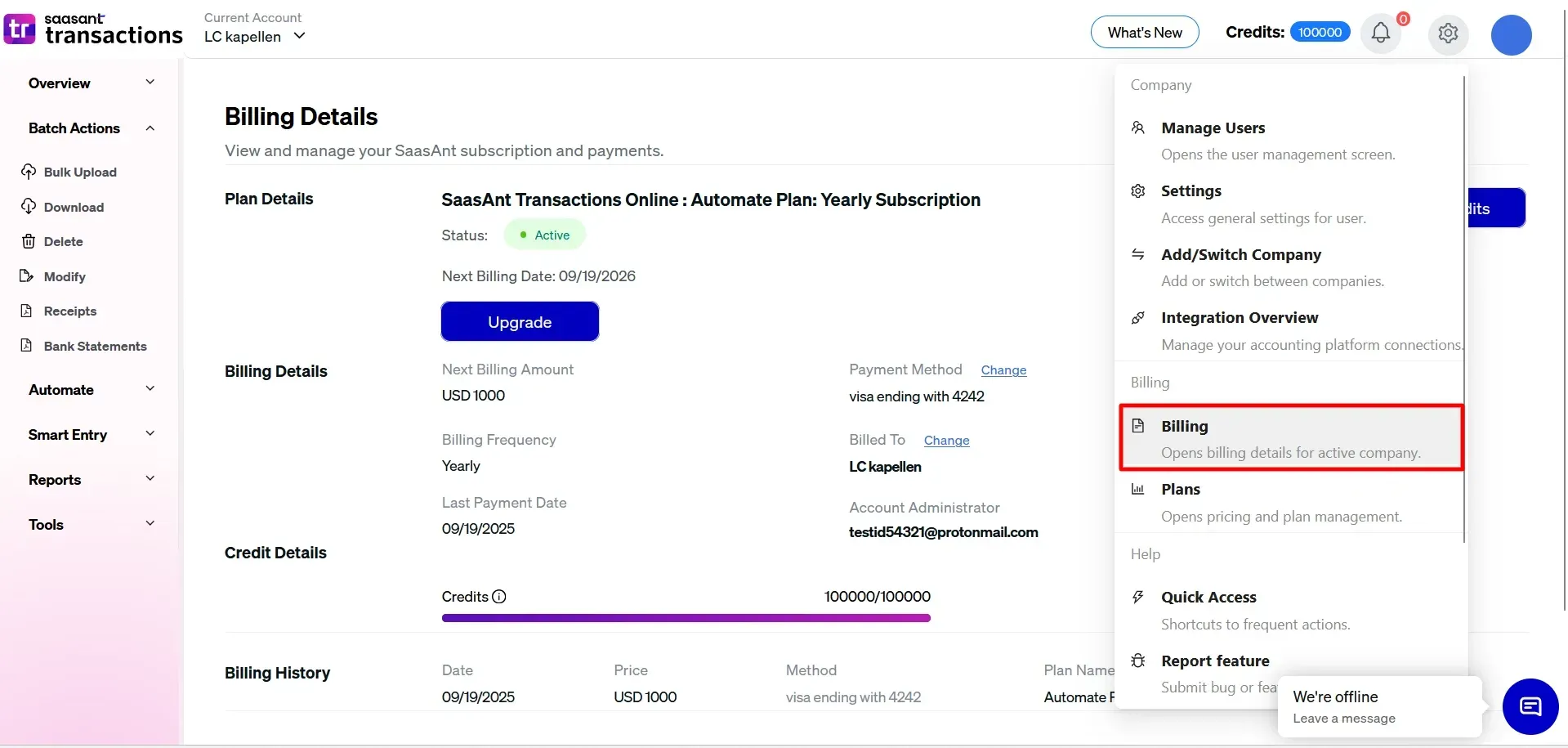
Step 3: Click the "Plans".
Step 4: Select the plan as a single company or Multi-company per your need.
For full plan details and a side-by-side comparison, please visit our Pricing page. Pricing may vary based on the number of companies, users, and credits selected, and you can choose either monthly or annual billing.
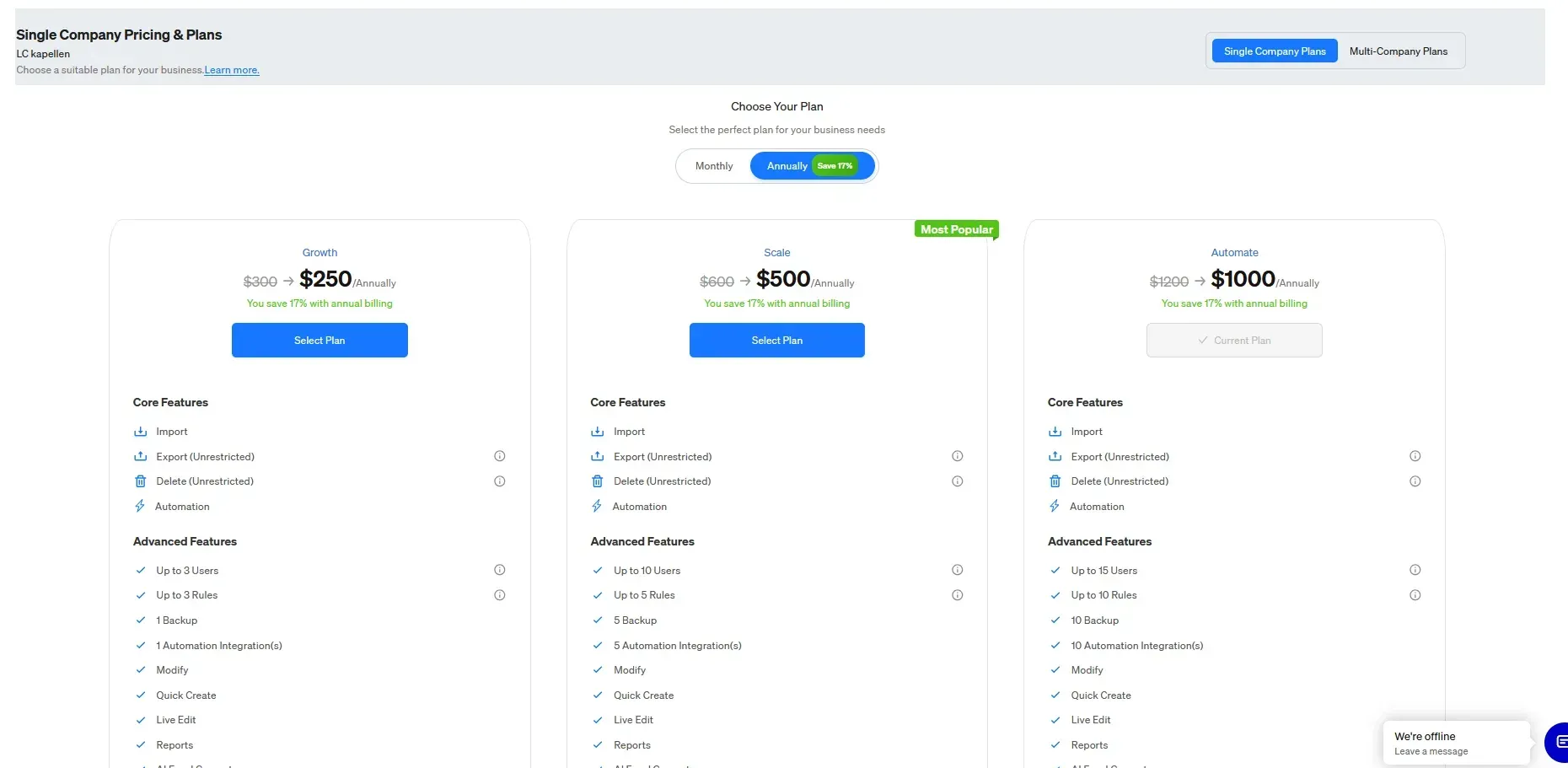
Step 5: You will be redirected to our secure payment gateway, where you can safely complete the payment.
Step 6: After the successful payment, you will be directed back to our website.